Q4 Estimated Tax Payments

January 15, 2025

Hello,


I've had a few clients mention this year that a reminder of quarterly estimated tax payments would be helpful to have, so we will be sending this out with quarterlies. Just a a reminder some helpful tax deadlines:


March 15 - corporate taxes/extensions due

April 15- personal taxes/extensions dues AND 1Q estimated tax payments due

June 15- 2Q estimated tax payments due

September 15- extended corporate tax returns due AND 3Q estimated tax payments

October 15- extended personal tax returns due

January 15- 4Q estimated tax payments due


Direct from the IRS website: If day 15 falls on a Saturday, Sunday or legal holiday, the due date is delayed until the next business day. Your return is considered filed on time if your envelope is properly addressed, postmarked and deposited in the mail by the due date.


Best practice is to make electronic payments several days beforehand and make sure they post to your bank account, leaving enough time to log back in and try again if it does not.


Happy tax paying!

Natalie

Paying Estimated Taxes to the IRS

Quarterly estimated tax payments are upon us! If your CPA put a series of vouchers at the beginning of your 2023 tax returns, you should be making estimated payments.

I have heard of more mail fraud and lost checks this year than prior years and wanted to remind those making estimated payments to please send checks certified mail to the IRS OR make a payment online.

Making a payment online isn't always a perfect system either- it is really important to categorize the payment correctly and you should always print or take a screen shot of the payment confirmation in the event of a system glitch.

Step 1

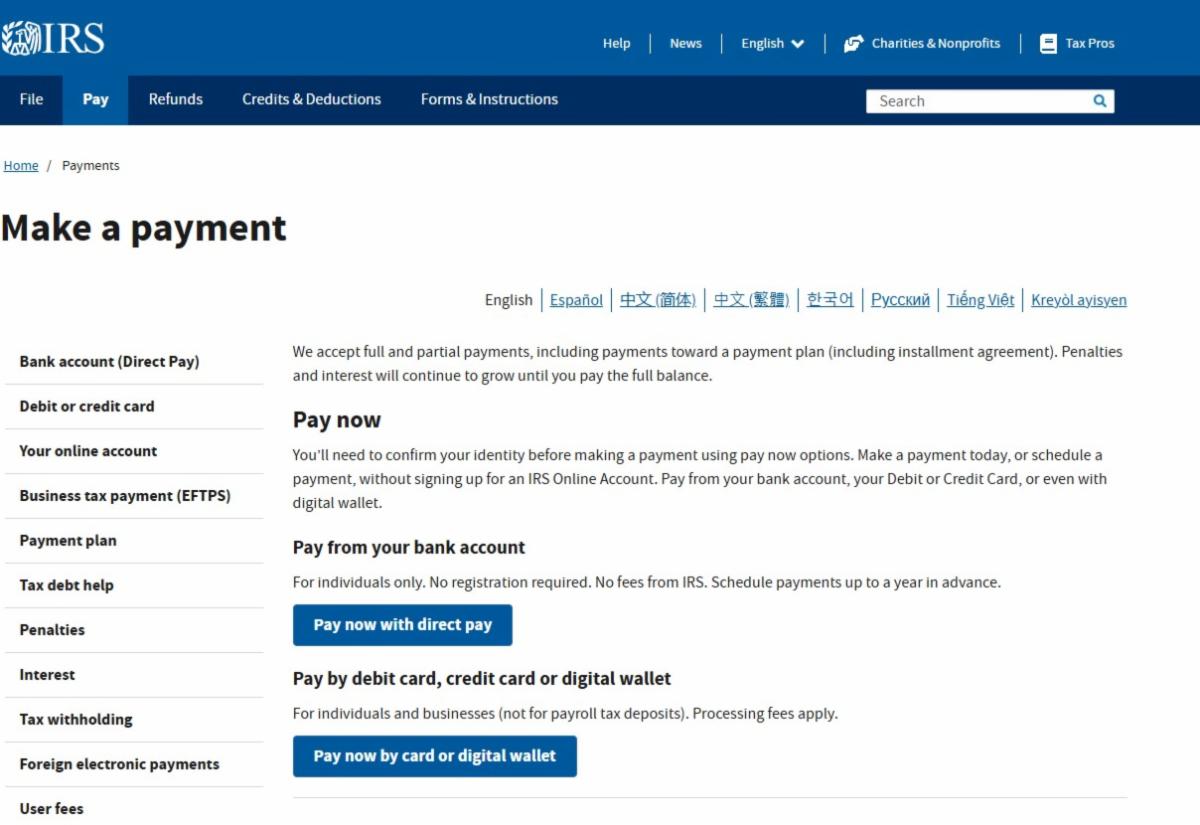
  • Go to Make a Payment with this link and select "Pay now with direct pay"

Step 2

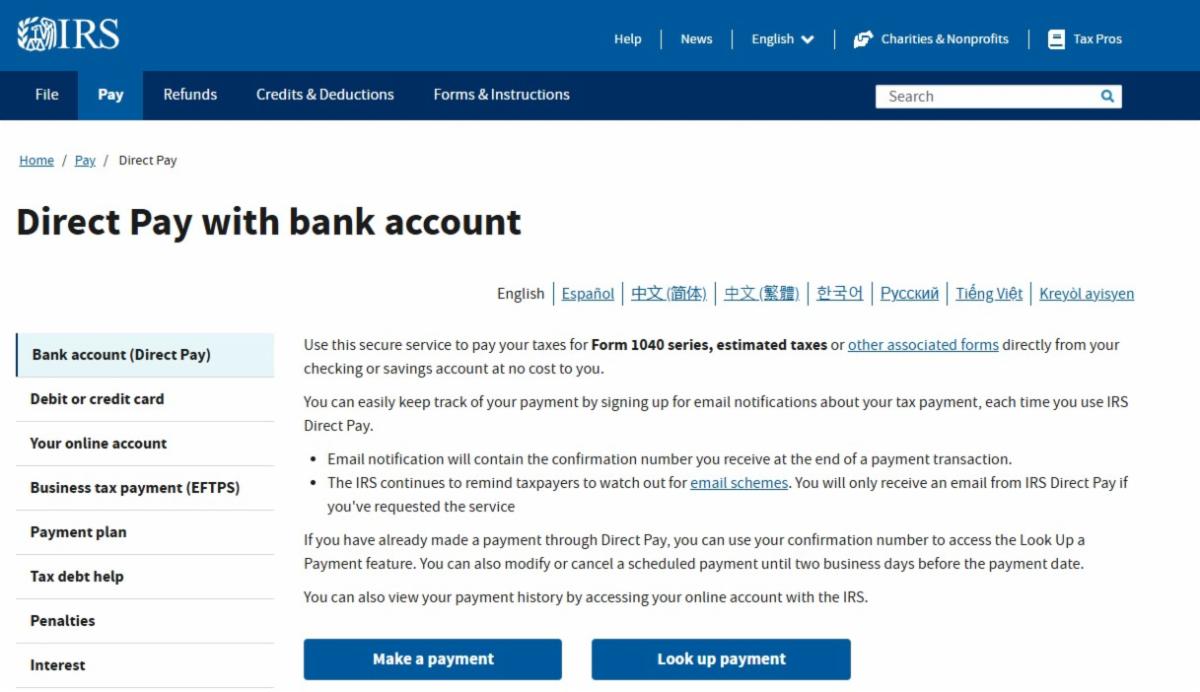
  • In the Direct Pay with bank account page, please select the "Make a Payment"

  • Have your account number and routing number ready to complete the payment

Step 3

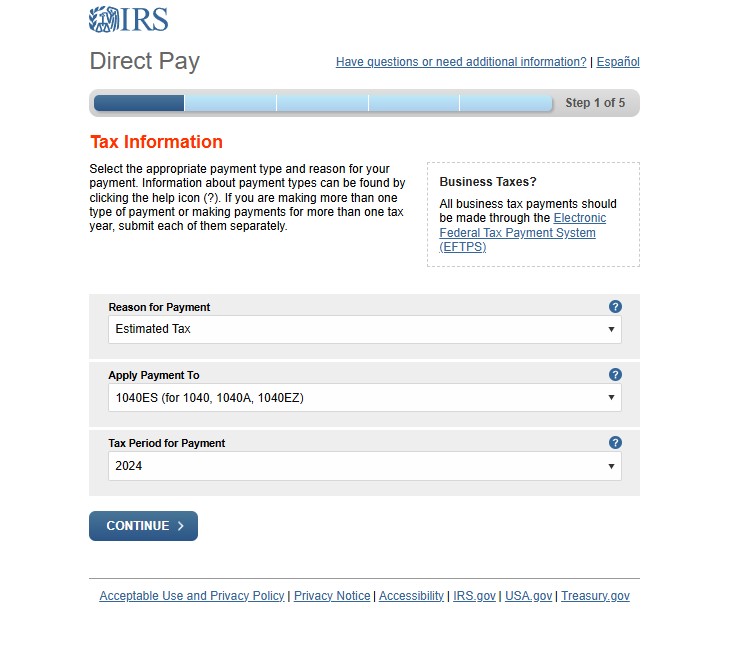
  • For estimated taxes select the reason as "Estimated Tax"

  • Select the current year of the payment for the Tax Period for Payment drop down

Step 4

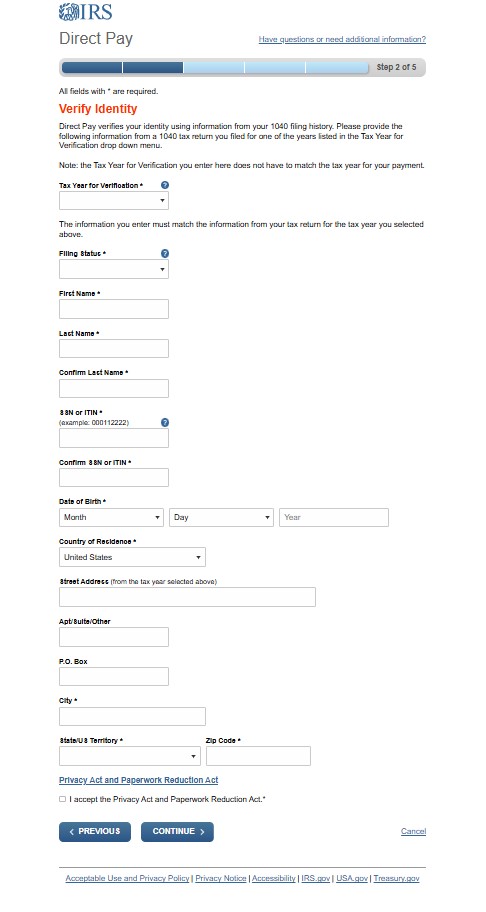
  • Have a prior tax return in hand to verify your identity. It does not have to be a current tax return; you will put the tax year in the first drop down box


  • Provide the information exactly as seen on the tax return you have selected

Step 5

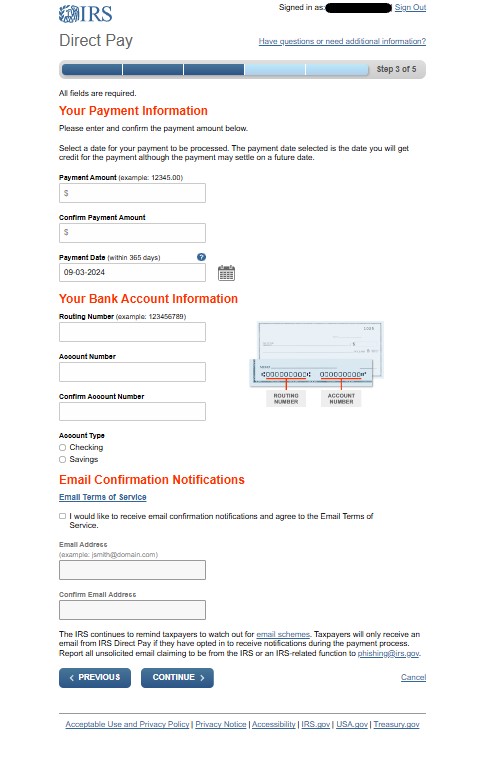
  • Enter the amount of the Estimated Tax payment and the date it will be withdrawn
  • The withdraw date should be on or before the quarterly deadline


  • Do not forget to select the check box to get an email confirmation notification and enter the email you would like to receive that email

Step 6

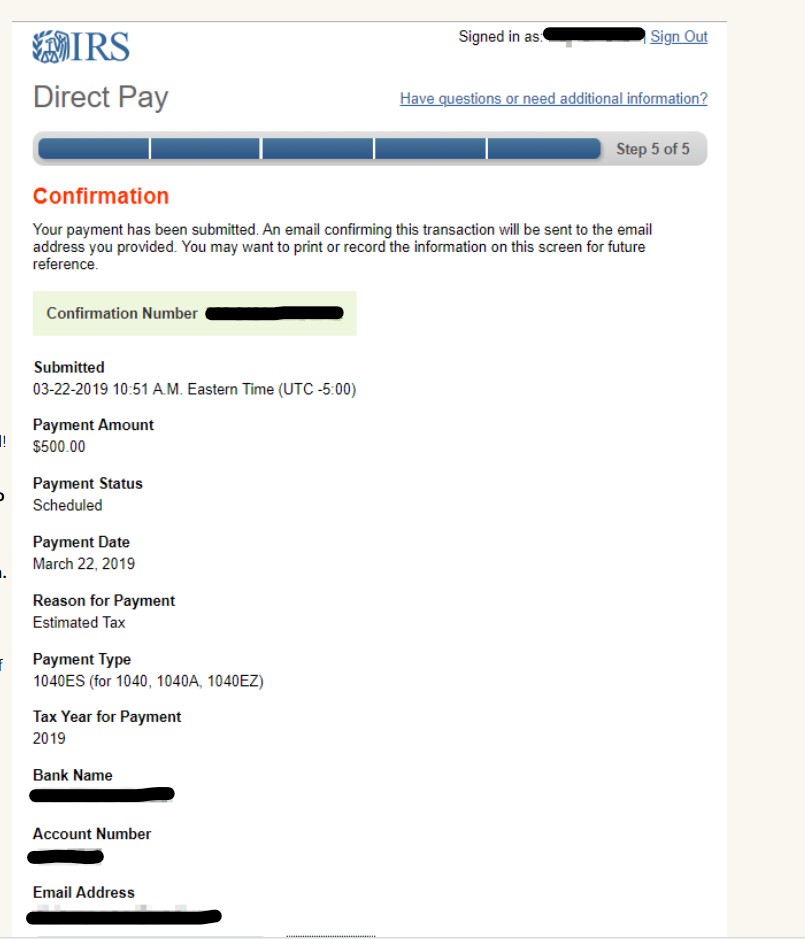
  • Save the confirmation of your payment so you are able to report it on your tax return


  • This page is important to save because your email confirmation will not have the payment amount or date of payment